Emails and messages
Reply while the thought is fresh instead of losing time to the keyboard.
Made for Windows · Speak instead of type
Write emails, messages, documents, and notes simply by talking. SpeechWalker puts the finished words wherever your cursor is — without making you learn a new editor.
Use it free for local dictation, add translation when you need another language, and keep your hands free for the work that matters.
Hold Ctrl+Winand start talking
Listening…
Say what you want to write
Could you send the updated document before our meeting tomorrow?
Könntest du das aktualisierte Dokument vor unserem morgigen Meeting schicken?
See the interface
Captured from SpeechWalker's browser demo harness using the same interface components as the Windows app — not hand-built marketing mockups.
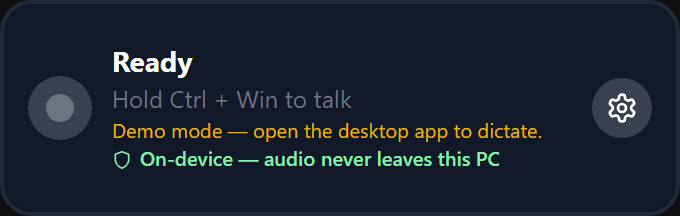
Hold one shortcut, speak naturally, and continue exactly where you were typing.
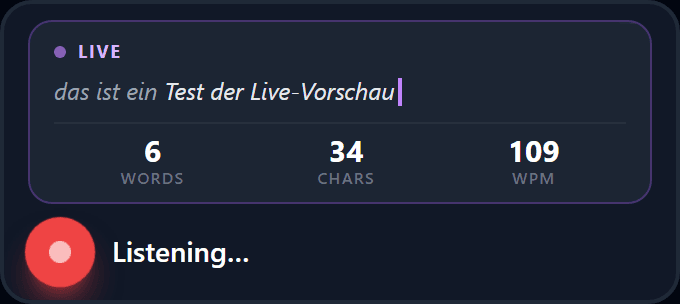
Follow the transcript while you speak. When you finish, SpeechWalker places the final text at your cursor.
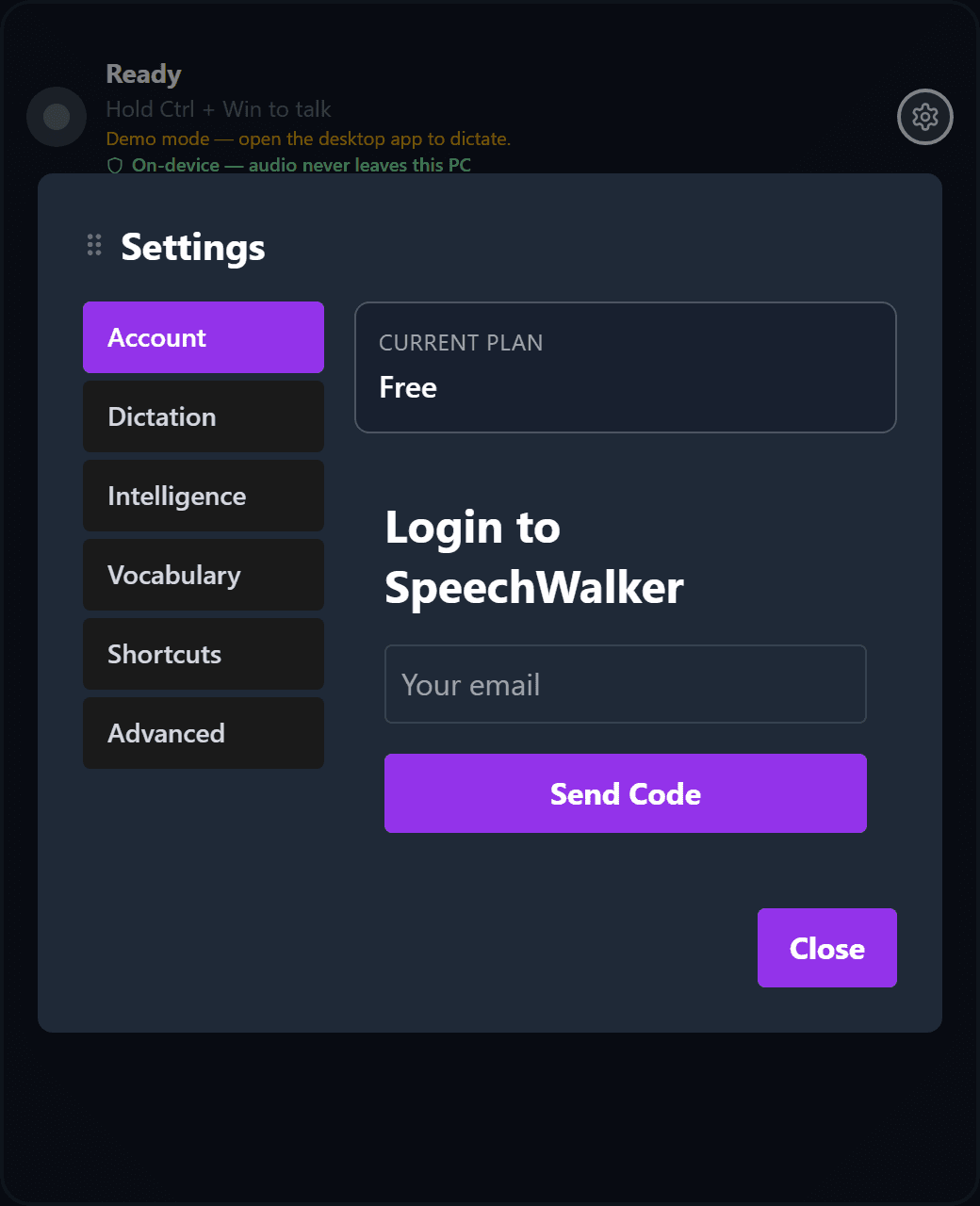
Choose your microphone, language, shortcuts, vocabulary, and writing preferences in one familiar place.
Less typing, more doing
No complicated workflow. Keep using the apps you already know and speak whenever typing slows you down.
Reply while the thought is fresh instead of losing time to the keyboard.
Turn a rough idea into paragraphs without breaking your flow.
Speak once and place translated text at your cursor across 85 supported languages.
Teach SpeechWalker the people, brands, and terms you use every day.
Optional local cleanup removes fillers and improves punctuation before the text is inserted.
Use the same simple shortcut in email, chat, documents, browsers, and everyday Windows apps.
02 / Privacy
Wispr Flow is a subscription alternative. Here is how SpeechWalker's local and cloud paths differ on the things that matter.
| Comparison | SpeechWalker | SpeechWalker Cloud |
|---|---|---|
| Privacy | In local mode, your voice never leaves your PC Behavior: desktop/electron/main.ts local sidecar path | Cloud mode uploads audio to transcribe Behavior: desktop/electron/cloudTranscribe.ts |
| Offline use | Local dictation works offline after the model is downloaded Behavior: cache-first loading in desktop/python/transcribe_service.py | Cloud mode requires an internet connection Behavior: desktop/electron/cloudTranscribe.ts |
| Price | Dictation free forever, €49 once for the intelligence | $144/yr, forever — $432 over three years |
03 / Requirements
Cloud transcription is optional. Local dictation remains available where supported, and no automatic overage purchase occurs.
| Requirement | Fast local transcription | Local translation | Cloud mode |
|---|---|---|---|
| OS | Windows 11 x64 | Windows 11 x64 | Windows 11 x64 |
| Memory | 8 GB RAM | 16 GB RAM recommended | 8 GB RAM |
| Compute | CPU-only ready | Capable GPU recommended | Light local compute |
| Connectivity | Offline after model download | Offline after model download | Internet required |
| Privacy | Audio stays on your device | Audio stays on your device | Audio is sent to the cloud provider |
| Expected speed | Designed for fast dictation | Expected to vary by model and hardware; not a measured benchmark | Depends on connection and provider |
04 / Pricing
Local dictation is free forever. Pay once to unlock the intelligence on top.
or €49/yr — best value
or €120 per seat/year · 3 seats minimum
Wispr Flow costs $144/yr — $432 over three years.
SpeechWalker Pro is €49 once. Own it forever.
05 / FAQ